1) Click on "Download VIPAccount" icon, and download the application onto your desktop.
2) Double-click on "VIPAccount" icon on your desktop.

3) Type in your VIP PowerNet Username and Password in their appropriate boxes, and click on "Select Number"
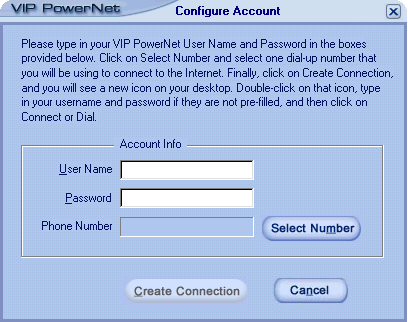
4) Select your area code from the drop down list.
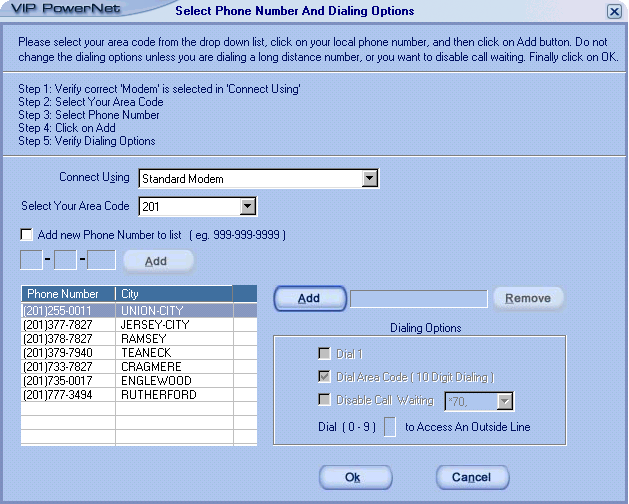
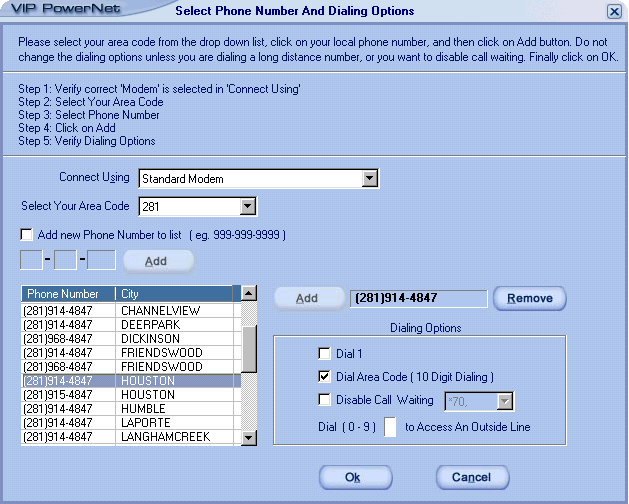
5) Select your local phone number from the list, and click on "Add" icon. Do not change the Dialing Options unless dialing a long distance number, disabling call waiting, or if you have to dial a number to access an outside line. Click on "OK".
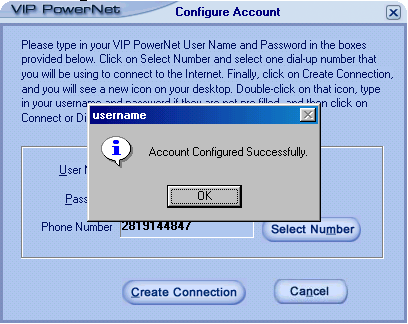
6) Click on "Create Connection"
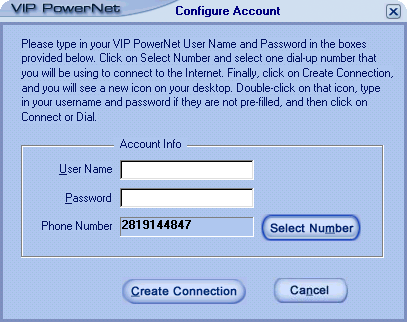
7) Click on "OK" and your Outlook Express and Dial-Up Networking Accounts are ready to use.
8) Double-click on "Connect to VIP PowerNet" icon on your desktop.

9) Make sure your VIP PowerNet Username and Password is pre-filled in the boxes, and then just click on "Connect" or "Dial."
|